



Digital Marketing All
cropper
  • Facebook icon
  • Linkedin Icon
  • YouTube Icon
  • Instagram Icon
  • Home
  • Categories
    • Advertising
    • AI
    • AI Agents
    • AI Search
    • Answer Engine Optimization
    • Backlinks
    • Backlinks
    • Black Friday Tips
    • Blog
    • Brand Loyalty
    • Brand strategy
    • Brand voice
    • Business
    • Chat bots
    • Company Reviews
    • Content
    • Customer Journey
    • Customer Retention
    • Domain Authority
    • Dominating Local Market
    • E-Commerce
    • Email Marketing
    • Email Marketing
    • Email Strategies
    • event marketing
    • FaceBook
    • GBP
    • Google
    • Google
    • Google Ads
    • Google Map Pack
    • Influencers
    • Instagram
    • Keywords
    • Keywords
    • Landing Pages
    • Lead Generation
    • LinkedIn
    • Local Marketing
    • Marketing
    • Marketing Strategy
    • Marketing Tools
    • Online Directories
    • Online Directories
    • Paid Ads
    • Podcast
    • PPC
    • Reddit
    • Referrals
    • Reputation
    • Reviews
    • Sales Funnel
    • Sales Strategy
    • Search Box Optimization
    • Search Engines
    • Search Price Optimization
    • semantic search
    • SEO
    • Social Media
    • Social Media Strategy
    • Selling Tips
    • SMS Marketing
    • SEO Strategy
    • storytelling content
    • Tik Tok
    • Traffic
    • Video
    • Video Blogging
    • Video Content
    • Voice Search
    • Website
    • Webinar
    • YouTube
    • Zero Click
    • Quora
    • Bing
    • GeoFencing
  • Life Advantage Series
  • Featured Clients
  • What's In Mass
  • Latest News
  • Business Mastery
  • All Posts
  • AI
  • Brand voice
  • Brand strategy
  • Company Reviews
  • Reviews
  • Reputation
  • Marketing
  • Social Media
  • Content
  • Blog
  • Video Blogging
  • Online Directories
  • Marketing Strategy
  • Website
  • SEO
  • Traffic
  • Lead Generation
  • Sales Funnel
  • Email Marketing
  • Advertising
  • Marketing Tools
  • Business
  • E-Commerce
  • Email Strategies
  • PPC
  • Keywords
  • GBP
  • Landing Pages
  • Black Friday Tips
  • Search Engines
  • Backlinks
  • Dominating Local Market
  • SEO Strategy
  • Keywords
  • YouTube
  • Online Directories
  • Google
  • FaceBook
  • SMS Marketing
  • Email Marketing
  • Referrals
  • Selling Tips
  • Sales Strategy
  • Customer Retention
  • Tik Tok
  • Reddit
  • Instagram
  • Google
  • Chat bots
  • Video
  • Social Media Strategy
  • LinkedIn
  • Influencers
  • Brand Loyalty
  • Paid Ads
  • Customer Journey
  • Zero Click
  • Answer Engine Optimization
  • Webinar
  • Local Marketing
  • AI Search
  • Voice Search
  • Search Box Optimization
  • Search Price Optimization
  • Google Map Pack
  • Domain Authority
  • semantic search
  • event marketing
  • Podcast
  • Featured Clients
  • Google Ads
  • Backlinks
  • Video Content
  • storytelling content
  • Life Advantage Series
  • Latest News
  • AI Agents
  • Business Mastery
  • Quora
  • Bing
  • GeoFencing
September 06.2025
1 Minute Read

How Do I Set Up a Google Business Profile? Quick Steps Inside

Did you know that businesses with fully completed Google Business Profiles are twice as likely to gain customer trust? When customers search for your business online, their very first impression comes from your presence on Google Search and Google Maps. Without a visible and up-to-date Profile on Google, potential customers might choose your competitors — even if your services are better!

Key Takeaways for How Do I Set Up a Google Business Profile?

  • A Google Business Profile increases your visibility and trust.

  • Verification is essential for full access and credibility.

  • Complete, accurate information enhances search ranking.

Opening Insights: Why Setting Up Your Google Business Profile Matters

A Google Business Profile allows your company to shine in local online searches, helping potential customers easily find your address, hours, phone number, and business type. Whether you run a storefront, a service business, or manage multiple locations, creating and optimizing a Business Profile puts essential business information in front of your audience. As local SEO is increasingly important for businesses both big and small, your profile isn’t just an online listing – it’s a direct connection to potential customers.

Studies show that local searches drive real results: nearly 76% of people who search for something nearby visit a business within a day. By taking ownership of your Google My Business presence, you control the story customers see. Detailed and accurate information about your business — including service area, business category, and contact info — supports higher placement in local search results, making you stand out and earn more clicks. The sooner you set up and verify your Google Business Profile, the faster you’ll benefit from increased visibility and customer trust.
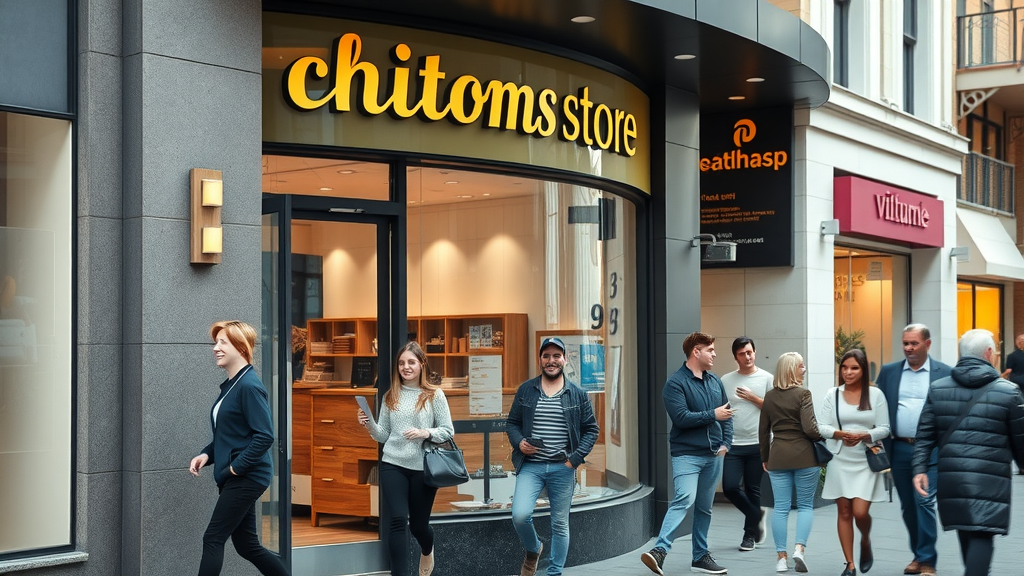
Modern storefront representing how do I set up a Google Business Profile - lively urban street, welcoming customers, clear business signage, natural daylight

"According to Google, businesses with complete profiles are twice as likely to earn customer trust. Ignoring your presence means leaving customers to find your competitors instead."

What You'll Learn About Setting Up a Google Business Profile

  • Step-by-step instructions for creating a Google Business Profile

  • How to add business information, hours, and photos

  • The importance of verifying your business

  • Optimizing your Google Business Profile for search results

Understanding Google Business Profiles: Definitions and Benefits

What Is a Google Business Profile?

A Google Business Profile is a free tool that lets business owners manage how their company appears across Google Search and Google Maps. It's more than just a listing; it's your digital storefront. You can display your business name, address, phone number, business hours, website, business category, and even post updates — all in one easy-to-find place. When you set up a Google Business profile, you help ensure potential customers can visit, call, or learn more about your business directly from search results. Having this profile is essential for any local SEO strategy in today's competitive marketplace, and it can be your most valuable free asset for connecting with your community.

By taking control of your Profile on Google, you make sure the information about your business is accurate and up-to-date. Customers searching for your business type or related services will see your profile, your Google Maps pin, and real-time details you provide. This not only helps with basic awareness but also builds credibility — something every local business needs in their toolkit, whether they serve walk-in traffic or offer services across town.

Benefits of a Google Business Profile for Your Business

Setting up your Google Business Profile offers many advantages. It increases your business’s chances of being found in local and “near me” searches – a big win for brick-and-mortar shops, restaurants, or even service businesses like plumbers or salons. Customers can leave reviews, helping you build your online reputation and attract more potential customers. Positive ratings and responses to feedback encourage trust and help improve your search engine visibility.

Pro tip: With regular updates and quality content (like photos, posts, and service information), you can increase engagement and drive more people to take action — whether that’s visiting your location, making a call, or booking a service. The Google Business Profile platform is built to support continual optimization. This means the more information you provide, the better your chances of appearing in top local search results, surpassing competitors who may not keep their profiles as updated.

Business owner reviewing Google Business Profile settings on computer in a modern office

Step 1: Create a Google Account

Why You Need a Google Account to Create a Google Business Profile

To create a Google Business Profile, you must first create a Google account, which serves as your gateway to managing your business presence online and accessing Google My Business tools. This acts as your access key to all of Google’s free tools, including Google My Business. It protects your business profile, ensures you're the verified owner, and lets you manage multiple locations or service areas if needed. Without a Google account, you can't claim or verify your company on Google Maps or in search results, and potential customers may see outdated or incorrect information.

Having a Google account also allows you to respond to customer reviews, post updates, and adjust your information any time your business changes address, phone number, or business hours. This keeps your digital presence flexible and accurate, boosting both your local SEO and your customers’ trust. If you already use Gmail or YouTube, you probably have a Google account. If not, setting one up is simple and free.

How to Set Up a Google Account

Head to accounts.google.com/signup. Fill in your basic details — name, email, password, and recovery options. Remember to use a professional email aligned with your business name when possible. Once your Google account is active, you’ll use this login for all steps that follow — from claiming your business profile to managing reviews and updates. If you run multiple businesses, you can even create extra Google accounts for each, ensuring every profile remains secure and organized. This initial step unlocks the tools you need to add your business and continue with the setup process below.

Step 2: Add Your Business to Google

How Do I Set Up a Google Business Profile? Starting the Process

Once your Google account is ready, visit the Google Business Profile website to add your business, add your business information, and start optimizing your profile for better local search results. Click “Manage now” to begin. You’ll first need to add your business name exactly as it appears offline. Consistency here matters for local SEO and search engine trust. Next, you’ll be prompted to select your business category – for example, “Coffee shop,” “Lawyer,” or “Auto repair.” This choice helps Google show your profile to people who search for those services in your area.

Entering correct details is important for accuracy. If you find that your business already appears on Google Maps, you can claim and update it instead of creating a duplicate. Click through, follow the steps, and you’ll be one step closer to increasing your visibility in local searches. Businesses with clear, precise categories and names rank higher in relevant search results — making this step critical for new or established brands.

  • Visit the Google Business Profile website

  • Enter your business name

  • Select your business category

Step 3: Input Essential Business Information

Business Address and Service Area

It’s critical to add your exact business address and clearly define your service area to maximize local search visibility and improve your Google Business Profile's reach. If you run a storefront, use the mailing address where customers can visit. For service businesses (like plumbers or cleaners), you can specify a broad service area but you don’t need to display a physical storefront address. Clearly defining this information helps Google and customers find you. Accuracy here affects your Google Maps listing and how customers discover you in app-based or local search results.

For multi-location companies, repeat the process for each location. Select “Yes” if customers come to your physical store, or “No” if you travel to their location. This distinction optimizes your appearance in searches for “near me” or location-based needs, making it easier for those nearby to find and contact you.

Service Areas: Reaching Multiple Locations

If your business caters to customers across several neighborhoods or cities, use the “service area” feature. Input zip codes, cities, or radius-based regions you cover. This expands your profile’s reach in targeted Google searches for your business type and increases visibility for potential customers outside your main location. Updating your service area makes your profile relevant for a wider audience and ensures you don’t miss out on local clients searching for help nearby.

Businesses like electricians, delivery companies, and caterers often benefit from this option, since their work isn't limited to one single address. Be honest about where you serve to avoid confusion, boost rankings in the right service areas, and connect with customers who need your offerings.
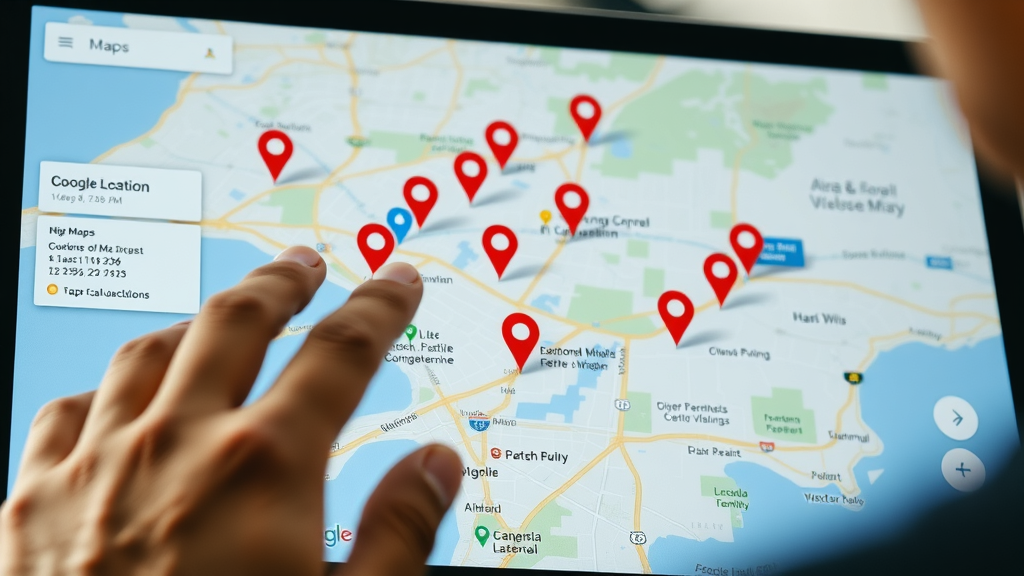
Google Maps interface highlighting multiple business locations for Google Business Profile and local search visibility

Phone Number and Website Details

Adding a reliable phone number and website URL to your Google Business Profile is essential for converting online traffic into real inquiries or sales, boosting your profile's effectiveness. Make sure the phone number you list is accurate, in service, and preferably dedicated to your business. This way, calls from searchers go straight to you. If you have a business website, enter the complete address (avoid typos!) so potential customers can easily click through for more details or to make an order.

Remember: the phone number and website info you provide on your Google Business Profile should match other online listings to build strong search engine trust and improve your local SEO rankings. Inconsistent information can lower your placement in search results, so double-check every field as you add your business information to Google.

Business Hours: Setting Accurate Availability

Listing your regular business hours on your Google Business Profile helps customers know exactly when they can visit, call, or expect a service, enhancing your local SEO and customer trust. Be as accurate and specific as possible, including weekends and holidays if your hours differ. Updating your profile if your schedule changes (such as on special occasions) reduces frustration and missed opportunities.

Google rewards profiles with up-to-date hours, showing them more often for searches like “open now” or “best [business type] open today.” You can always adjust hours later using your Google Business dashboard. Accurate times earn trust and keep customers coming back.

Business Description: Crafting an Effective Profile on Google

Your business description is your chance to stand out. Use this space (up to 750 characters) to explain what makes your business special, highlighting your expertise, experience, and the solutions you offer. Mention your top services and the areas you serve, but avoid overloading with keywords as Google prioritizes helpful, readable descriptions.

A great description tells potential customers why they should choose you over competitors. Keep it simple, honest, and welcoming. For best results, refresh your description every few months to highlight new offerings or events that might interest people searching in your area.

Field

Example

Importance

Business Name

Sunny Café

Helps customers and search engines identify you

Address / Service Area

123 Main St, Portland, ME / Portland & South Portland

Ensures you show up for the right local searches

Business Category

Coffee Shop

Gets your profile in front of the right audience

Phone Number

(207) 123-4567

Lets potential customers reach you easily

Website

www.sunnycafe.com

Drives traffic to more information about your business

Business Hours

Mon–Fri 8am–5pm

Informs searchers when you’re open or closed

Business Description

Friendly, local coffee shop serving house-roasted coffee & pastries.

Sets you apart and highlights what you do best

Video tutorial: Filling out business information on your Google Business Profile

Step 4: Add Photos to Your Google Business Profile

Types of Photos to Add

High-quality photos help your Google Business Profile look inviting and trustworthy, encouraging more customer engagement and improving your profile on Google. Google recommends adding a storefront image so people recognize your location when they arrive. Include photos of your staff in action, products or services you offer, and any unique parts of your interior or exterior. For service businesses, add photos of your team delivering services or customer results to showcase your expertise. The more authentic and current your pictures, the better you’ll connect with customers online.

Regularly update your photo gallery to show seasonal changes, new offerings, or recent renovations. This ongoing attention not only improves your profile on Google but also signals to Google’s algorithm that your business is active — a huge plus for local SEO rankings.

Friendly staff team in action inside business workspace for Google Business Profile listing

Tips for Choosing Effective Photos

  • High-quality storefront image

  • Staff in action

  • Product shots

  • Service delivery in progress

Photos added to your Google Business Profile should be well-lit, clear, and represent your business accurately to attract more customers. Avoid using stock images; real photos create trust and show customers a true view of your business. If possible, use a professional camera or smartphone and update images at least once each season, especially after a renovation or expansion.

Lastly, follow Google’s guidelines for image sizes and types, which promotes the best display on all devices, from phones to desktop computers. Exceptional photos can prompt more views, clicks, and calls from potential customers searching for your business category or services in your area.

Step 5: Verify Your Google Business Profile

How to Verify Your Business on Google

To unlock all the features of your Google Business Profile, you’ll need to verify ownership. This usually involves Google mailing a postcard with a verification code to your business address. Sometimes, depending on your category and information, they may offer phone, email, or instant verification. Follow the instructions in your profile dashboard for the fastest method.

Verifying your business protects your Google Business Profile and proves to Google — and your customers — that you’re the legitimate owner, unlocking full access to profile management. Only after verification can you respond to reviews, update business hours, or see analytics about how customers find you in Google Search or Maps.

Troubleshooting Common Verification Issues

Sometimes, the verification process can hit snags. If you don’t receive your postcard or email within two weeks, check your account for mistakes in your address or service area. Be sure your business name and mailing details match your local signage and website exactly. If problems continue, use Google’s support options – they can help speed up or troubleshoot the process.

If your business moves or changes ownership, you’ll need to complete the verification process again. Keeping your verified status current ensures you maintain control over your profile, access all management features, and keep your business information protected from unauthorized edits.
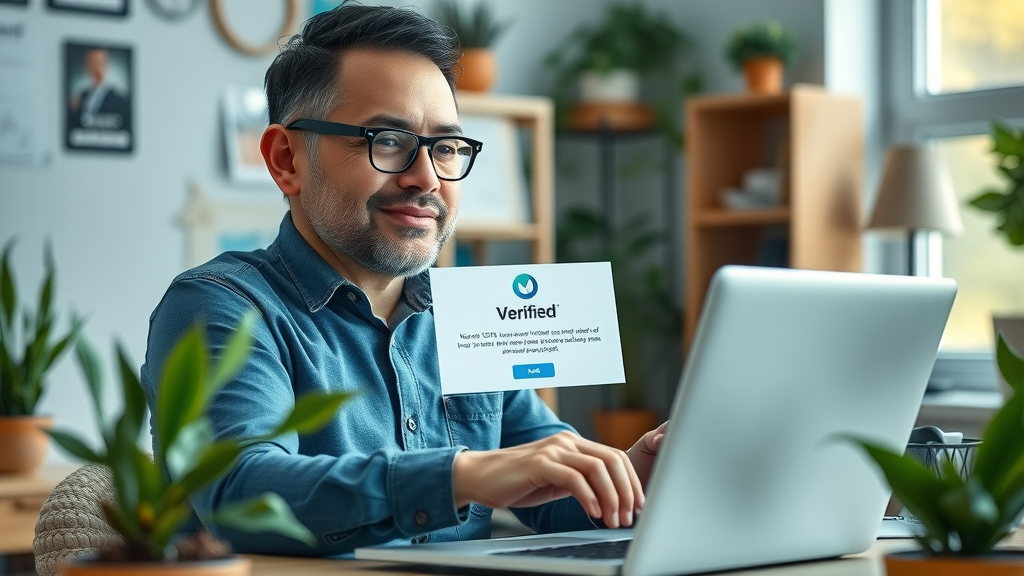
Small business owner celebrating successful Google Business Profile verification in office setting

Step 6: Optimize Your Google Business Profile for Better Visibility

Optimizing Business Description and Business Category

Once verified, focus on updating and polishing your business description and category. Use language customers might type into Google — like your business type, signature service, and neighborhoods you cover. The business category should stay current with what your company actually does. If your offerings expand, add a secondary category (such as “Coffee shop” and “Bakery”).

A well-optimized profile brings your listing higher in local search results and allows searchers to find you based on services, reviews, or timely updates. Google’s system loves fresh content: so posting photos, updates, and responding to reviews weekly keeps your business visible and relevant.

Managing Reviews and Updating Business Information

Reviews play a big role in local SEO — and your business reputation. Always thank customers for positive reviews, and address concerns from any negative ones respectfully and promptly. This shows new customers that you care and pays off in more 5-star ratings over time. Update your business hours, contact details, and service area regularly, especially if your offerings shift with seasons or holidays.

Timely responses and profile updates boost trust and favor your listing in Google Search results. Google prefers “active” profiles, rewarding them with more impressions and clicks from potential customers looking for your business type or service areas.

How Google Search and Google My Business Work Together

When people type your business name or service into Google, your Google Business Profile appears alongside results, giving you prime frontline exposure. The stronger and more complete your profile, the more likely it is to appear in Maps, “3-Pack” results, and answer direct local searches (“plumber near me,” “best coffee shop downtown,” etc.). For businesses managing multiple locations or teams, Google My Business offers tools to control each profile on Google efficiently.

Pro tip: Consistency in your contact information and ongoing engagement — like updating photos and posting business news — further helps your local online presence.

Video guide: Tips to optimize your Google Business Profile listings

Maintaining and Updating Your Google Business Profile

Editing Business Hours, Service Areas, and Contact Info

Business details change — and your Google Business Profile should reflect updates in real time. Use your dashboard to edit business hours if you change schedules, add new service areas, or update your phone number and website details. This keeps your listing accurate, helping both Google and customers trust the info they find.

With every update, you also inform Google’s algorithm that your business is still active — a key trust signal for ranking in local searches and Google Maps. Schedule a review of your listing at least once a quarter, or whenever you roll out new products, relocate, or change your service area.

Business owner editing Google Business Profile contact info and service areas on computer

Responding to Reviews and Customer Questions

Responding to reviews isn’t just good customer service — it’s a proven way to boost your visibility and reputation in Google’s eyes. Answer every question your customers post, thank them for positive feedback, and resolve issues quickly and politely. Engaged business owners get more glowing reviews, which help lift their profiles higher in search.

You can use the Q&A feature to address frequent queries about your business hours, service area, or available products. Proactive engagement shows visitors you’re reliable and attentive, a quality Google rewards with preferred listing positions for relevant business categories.

Checklist: Steps to Set Up Your Google Business Profile

  1. Create a Google account

  2. Add your business information

  3. Enter service area and business hours

  4. Add photos

  5. Verify your business profile

  6. Optimize your listing

People Also Ask: Common Questions About Google Business Profiles

How do I create a Google profile for my business?

Creating a Google profile for your business involves registering a Google account, visiting the Google Business Profile site, adding your business information, and verifying ownership.

Is it free to create a Business Profile on Google?

Yes, setting up a Google Business Profile is completely free. You pay nothing to create or manage your profile.

Do you need an LLC to have a Google business page?

You do not need to have an LLC. Any legitimate business can create a profile, whether sole proprietor, partnership, LLC, or corporation.

What are the requirements for a Google Business Profile?

You must have a physical business location or service area, a verified Google account, and accurate business information. Google may require additional verification steps depending on your industry.

Frequently Asked Questions (FAQs) About How Do I Set Up a Google Business Profile?

  • Can multiple people manage one Google Business Profile?

  • What if my business changes location?

  • How often should I update my business information?

  • Is Google My Business the same as Google Business Profile?

Expert Quotes on the Power of Google Business Profiles

"Optimizing your Google Business Profile can significantly boost your visibility on local search. It's one of the most cost-effective marketing tools available to small businesses today." – Local SEO Specialist

Conclusion: Take the Next Step in Growing with Google Business Profile

Start Setting Up Your Google Business Profile Today

Don’t wait — setting up your Google Business Profile is the best step you can take for more visibility and business growth in your community!

Need Help?

  • Call us at 207-710-1449 or email us at info@digitalmarketingall.org for expert assistance with your Google Business Profile.

Ready to elevate your entire digital strategy beyond just your Google Business Profile? Understanding how search engines interpret and rank your content can unlock even greater visibility and authority for your business. Dive into the essentials of semantic SEO and the art of content relevance to discover how advanced optimization techniques can help you connect with your ideal audience. By mastering both local and semantic SEO, you’ll be equipped to build a robust online presence that stands out in today’s competitive landscape. Take the next step and transform your approach to digital marketing with deeper, smarter strategies.

Google

101 Views

0 Comments

Write A Comment

*
*
Please complete the captcha to submit your comment.
Related Posts All Posts
08.01.2026

Stop Guessing: How to Track Your Social Media Dollars on Google Search

Master Google Search Console's new platform properties to track social media video performance, boost local SEO, and increase marketing ROI.

08.04.2026

Why Your 40 Fake City Pages Are Killing Your Local Google Rankings

Zero-impression city page templates drag down local SEO. Pruning dead pages restores domain trust and boosts your marketing ROI.

07.19.2026

Google's AI Search Warning: Why Your Content Is Being Ignored (And How to Fix It)

By Diane O’Brien, Chief Marketing Officer at Digital Marketing All.Google finally said the quiet part out loud.For years, marketers believed more content, more schema, and more SEO would eventually win.Now Google is telling people to stop.In its first guide on optimizing for AI Search, Google warns against creating dozens of similar articles, over-focusing on structured data, and chasing inauthentic mentions.Instead, it keeps coming back to one thing: Create “non-commodity content”.If your content says the same thing as everyone else's, AI has no reason to cite you.Neither does Google.The problem is that most companies don't realize how much of their content has become a commodity. It's optimized for keywords but adds nothing new… no original data, unique insights, or firsthand expertise.If that sounds like your site, schedule a call with us.We'll review your content, show you where AI Search may be overlooking your site, and identify opportunities to stand out.Key Takeaways:The rules changed: AI search engines reward original facts and firsthand experience over recycled keywords.Zero-click searches are rising: AI Overviews are dropping traditional organic click-through rates by up to 61%.Non-commodity content wins: AI platforms cite web pages that offer unique statistics, clear direct answers, and real data.Technical visibility is mandatory: Proper schema markup and plain HTML are strictly required for AI bots to parse your site.Local businesses can adapt: Upgrading to data-first tools helps you get found by both AI chats and local map packs.Real Businesses, Real GrowthLet's look at two local companies that faced this exact problem and found a way out.The first is a roofing contractor right here in Bedford, Massachusetts. They followed the old rulebook perfectly. They wrote long blog posts stuffed with service keywords. They paid for backlinks. But when AI search engines started taking over the top of the page, their phone stopped ringing. Their organic clicks fell off a cliff. They were totally invisible to AI platforms. They needed a way to appear everywhere people searched. They used our Total Web Dominance program. It helps clients get ahead simply by making sure their business appears across the entire web landscape. Within weeks, their brand mentions spiked, and AI bots started citing their website for local roofing queries.The second business is an emergency plumbing service over in Waltham, Massachusetts. They struggled to rank in the autocomplete bar. They were paying massive flat fees to an agency that promised exclusive rights to search terms but delivered zero calls. We showed them a better way with Search Box Optimization. We moved them to a performance-tied cost-per-click billing structure. They finally stopped paying fixed fees for empty promises and only paid for actual results. This pivot brought them real traffic and measurable phone calls. They moved away from commodity content and started answering the exact questions their customers asked.Both of these companies stopped chasing old metrics. They partnered with Digital Marketing All and shifted to a data-first approach that actually works.Why is my website not showing up in AI search results?Your website is not showing up in AI search results because it lacks structured data, original facts, and non-commodity content. Generative engines like ChatGPT and Google AI Overview look for direct answers, firsthand expertise, and statistical density, not just keyword repetition. Missing these elements prevents AI platforms from citing your pages. Local Search and the Map Pack AdvantageWhen it comes to local search, the rules change again. AI engines are getting much better at finding local businesses. But they still rely heavily on your local map signals.If you want to win local search, you need more than just a fast website. You need a trusted local footprint. The Google Map Pack is prime real estate. It shows up before the regular blue links. It often shows up right next to AI Overviews.To secure this spot, your business information must be perfect. Your name, address, and phone number need to match exactly across the whole internet. You also need a steady flow of real reviews. AI reads those reviews. It uses them to decide if you are a true expert. If your customer reviews mention specific services, AI is far more likely to suggest you for those services.Local search also requires strong on-page signals. If you run a business in Bedford, your website needs to talk about Bedford. It needs to show you actually work there. This is what we call local authority. You cannot fake local authority with AI-generated text. You have to build it with real stories, local proof, and community ties.Get Cited by AI (ChatGPT, Gemini, and Grok)Getting cited by AI is the new SEO. ChatGPT alone reached 900 million weekly active users in early 2026. These platforms do not read websites the way old search engines did. They do not care how many times you paste a keyword into a paragraph.AI engines look for facts. They map relationships between ideas. If you want ChatGPT or Gemini to cite you, you need to provide data they can extract. Research from Princeton University proves that adding statistics, quotes, and citations lifts your chances of an AI citation by over 40%.You also need technical clarity. AI bots struggle to read complicated code. For instance, JavaScript-rendered content fails AI parsing 77% of the time. If your best content is hidden behind fancy scripts, AI will just ignore it. Keep it simple. Use plain HTML and clear structured data.Grok, Gemini, and ChatGPT all prioritize non-commodity content. They want first-hand knowledge. They want tables, bullet points, and direct answers. You must structure your pages so an AI can read them in milliseconds. Give them the facts upfront. Put the most important answers in the very top 30% of your page.The Shortcut to AI VisibilityYou do not have to figure this all out alone. We have built systems that do the heavy lifting for you. Here are four ways Digital Marketing All can fast-track your success:1. Connect Sight This tool reveals the hidden traffic you are missing. It maps out your digital footprint and shows you exactly where competitors are beating you. Connect Sight gives you the raw data you need to make smart, profitable choices.2. Total Web Dominance This is our core visibility engine. It gets your name everywhere it needs to be. It simply helps you get ahead by making sure you appear everywhere your customers are looking.3. Search Box Optimization (SBO) Get found before the search even happens. We place your brand right in the autocomplete box. Our SBO services are not sold on an exclusive basis. They operate entirely on a performance-tied cost-per-click billing structure. You only pay for the clicks that actually happen.4. Growbotik Automation is key to scaling your business. Growbotik handles your customer follow-ups and lead generation without missing a beat. You can learn more at Growbotik.Stop Writing for Robots, Start Writing for AnswersThe best way to beat an AI is to act like a human. You have real experiences. You have helped real customers. You have data that no one else has.Use that data. When you write a blog post, include a real statistic. Tell a real story. Do not just copy what the top ten results say. If you only copy, you become a commodity.AI models are trained on the entire internet. If you say the same thing as ten other websites, you bring nothing new to the table. You offer no Information Gain. Google's recent updates specifically target this kind of content. They want to see your unique perspective. They want to see your firsthand experience.Focus on creating clear, punchy content. Keep your sentences active. Make your content easy to read. A fifth-grade reading level is perfect. It is fast, clear, and direct. AI engines love clear writing. So do humans.As an accountant turned Chief Marketing Officer, I look at content the exact same way I look at an investment portfolio.If you invest in the exact same index fund as everyone else, you get average returns. But in the world of AI search, average returns equal zero traffic. If your website says the exact same thing as ten other websites, AI engines have no reason to pull your data.This is the core difference between commodity and non-commodity content.What is Non-Commodity Content?Non-commodity content is information that only you can create. It brings net-new information to the internet. Google calls this "Information Gain."It cannot be easily guessed by an AI or copied by a competitor because it relies on your real-world experience. It includes:First-party data and statistics you gathered.Specific case studies from your actual clients.Strong, expert opinions that challenge the industry standard.Custom graphics, actual photos, or local stories.If you delete your author name from an article and it still makes perfect sense on a competitor's website, you wrote a commodity.The Difference in ActionLet’s look at exactly how this plays out in the real world. Notice how the commodity examples just repeat basic facts, while the non-commodity examples prove authority.Example 1: A Local Roofing CompanyTypeThe ContentWhy It Fails or WinsCommodity“5 Signs You Need a New Roof. 1. Missing shingles. 2. Leaks in the attic...”Fails: ChatGPT already knows this. Every roofing site in the world has this exact list. It adds zero value.Non-Commodity“We inspected 40 roofs in Bedford after the May hail storm. Here is the exact damage we found on asphalt versus metal roofs.”Wins: It uses local data, a specific time frame, and real numbers. No AI can generate this without citing the roofer.Example 2: A Marketing Agency (Our World)TypeThe ContentWhy It Fails or WinsCommodity“Why Search Box Optimization is Good for Business.”Fails: It is generic fluff. It explains what a service is, but not how it works in the real world.Non-Commodity“How we used Search Box Optimization to cut a client's cost-per-lead by 42%. Because we use a performance-tied cost-per-click billing structure instead of fixed fees, they only paid for real results.”Wins: It shares a specific financial outcome and explains the exact billing structure that made it work.Example 3: An Emergency PlumberTypeThe ContentWhy It Fails or WinsCommodity“How to Unclog a Drain with Baking Soda and Vinegar.”Fails: This is a recycled answer from 2012. Google AI Overviews will answer this directly without ever sending the user to your site.Non-Commodity“The 3 most common pipe failures we fix in Massachusetts during freezing temperatures (and exactly what the repair costs).”Wins: It provides transparent pricing and hyper-local expertise. AI engines love structured pricing data.How to Stop Writing CommoditiesYou do not need to write longer articles to win. You need to write smarter ones.Next time you sit down to create content for your business, ask yourself: What do I know that a robot does not?When we run our Total Web Dominance program for clients, we do not just blast generic articles across the web. We find their unique data points. We format those points with clear schema markup so AI agents can instantly read them. Our goal is to make our clients the undisputed source of truth in their market.When you become the source of truth, you stop competing for clicks. You start commanding them.Answer the Questions People Are Actually AskingAnother way to win is to answer real questions. Look at what people are asking online. Look at the "People Also Ask" boxes. Answer those exact questions on your own site.Make your answers short and clear. Use bullet points. Use bold text to highlight the main point. Make it impossible for the AI to misunderstand you. When you do this, you increase your chances of becoming the featured answer. Build Trust With Real CitationsTrust is the currency of the new web. AI engines need to know they can trust you. How do you prove that? By citing real authorities.Link to credible sources. When you make a claim, back it up. If you say AI search is growing, cite the exact data. By associating your website with trusted sources, you elevate your own authority. This is a core part of Agentic Interoperability Management. AI agents talk to each other. They verify facts across multiple sources. Make sure your facts line up.Frequently Asked QuestionsHow do I optimize my website for AI search? You optimize for AI search by providing clear, direct answers to common questions. Add original statistics, use simple HTML, and ensure your site uses clear headings. Focus on sharing firsthand experience rather than repeating generic information.What is the difference between GEO and SEO? Traditional SEO focuses on keywords and backlinks to rank in search results. Generative Engine Optimization (GEO) focuses on fact density, direct answers, and entity relationships to get cited by AI chatbots and overviews.How does Google choose content for AI Overviews? Google chooses content that offers original insights and high fact density. It looks for trusted sites that provide direct, clear answers in the top portion of the page. It heavily favors non-commodity content.What is non-commodity content? Non-commodity content offers something unique. It includes original data, personal experience, case studies, or strong opinions. It cannot be easily replicated by AI or found on a dozen other generic websites.Does schema markup matter for AI search? Yes, it matters deeply. Schema markup helps AI crawlers instantly understand what your page is about. Missing structured data can create massive gaps in your AI search visibility.How do I get my business cited by ChatGPT? To get cited by ChatGPT, ensure your brand is mentioned across credible news sites and directories. On your own site, use clear formatting, cite original facts, and use schema markup to help the AI extract your information.Your Next Steps to GrowthThe era of easy keyword traffic is over. The internet is flooded with generic articles. AI has changed how people search, and it has changed how businesses must respond. If your business relies on old methods, you are losing ground. But this shift is also a massive opportunity. The brands that adapt now will capture the lion's share of the traffic. You do not need to fight the AI. You just need to give it the original, data-rich answers it craves. Stop blending in. Start standing out with real authority.I hope you enjoy reading this blog post. If you want to be our next success story, have my team do your marketing. Click here to book a call!Recommended ReadingHow Connect Sight Uncovers Your Hidden AI TrafficTotal Web Dominance: Moving Beyond Traditional SEOThe Local Authority Engine: Winning the Map Pack in 2026

© 2026 Digital Marketing All All Rights Reserved. 30 Shawsheen Ave, Suite 3, Bedford, MA 01730 . Contact Us . Terms of Service . Privacy Policy

eyJjb21wYW55IjoiRGlnaXRhbCBNYXJrZXRpbmcgQWxsIiwiYWRkcmVzcyI6IjMwIFNoYXdzaGVlbiBBdmUsIFN1aXQgMywgQmVkZm9yZCwgTUEgMDE3MzAiLCJjaXR5IjoiQmVkZm9yZCIsInN0YXRlIjoiTUEiLCJ6aXAiOiIwMTczMCIsImVtYWlsIjoiZGlhbmVAZGlnaXRhbG1hcmtldGluZ2FsbC5vcmciLCJ0b3MiOiJQSEErUEhOMGNtOXVaejQ4WlcwK1YyaGxiaUI1YjNVZ2MybG5iaTFwYmlCM2FYUm9JSFZ6TENCNWIzVWdZWEpsSUdkcGRtbHVaeVp1WW5Od095QjViM1Z5SUhCbGNtMXBjM05wYjI0Z1lXNWtJR052Ym5ObGJuUWdkRzhnYzJWdVpDQjViM1VnWlcxaGFXd2dZVzVrTDI5eUlGTk5VeUIwWlhoMElHMWxjM05oWjJWekxpQkNlU0JqYUdWamEybHVaeUIwYUdVZ1ZHVnliWE1nWVc1a0lFTnZibVJwZEdsdmJuTWdZbTk0SUdGdVpDQmllU0J6YVdkdWFXNW5JR2x1SUhsdmRTQmhkWFJ2YldGMGFXTmhiR3g1SUdOdmJtWnBjbTBnZEdoaGRDQjViM1VnWVdOalpYQjBJR0ZzYkNCMFpYSnRjeUJwYmlCMGFHbHpJR0ZuY21WbGJXVnVkQzQ4TDJWdFBqd3ZjM1J5YjI1blBqd3ZjRDRLQ2p4d1BqeGhJR2h5WldZOUltaDBkSEE2THk5M2QzY3VaMjl2WjJ4bExtTnZiU0krYUhSMGNEb3ZMM2QzZHk1bmIyOW5iR1V1WTI5dFBDOWhQand2Y0Q0S0NqeHdQaVp1WW5Od096d3ZjRDRLQ2p4d1BqeHpkSEp2Ym1jK1UwVlNWa2xEUlR3dmMzUnliMjVuUGp3dmNENEtDanh3UGxkbElIQnliM1pwWkdVZ1lTQnpaWEoyYVdObElIUm9ZWFFnWTNWeWNtVnVkR3g1SUdGc2JHOTNjeUI1YjNVZ2RHOGdjbVZqWldsMlpTQnlaWEYxWlhOMGN5Qm1iM0lnWm1WbFpHSmhZMnNzSUdOdmJYQmhibmtnYVc1bWIzSnRZWFJwYjI0c0lIQnliMjF2ZEdsdmJtRnNJR2x1Wm05eWJXRjBhVzl1TENCamIyMXdZVzU1SUdGc1pYSjBjeXdnWTI5MWNHOXVjeXdnWkdselkyOTFiblJ6SUdGdVpDQnZkR2hsY2lCdWIzUnBabWxqWVhScGIyNXpJSFJ2SUhsdmRYSWdaVzFoYVd3Z1lXUmtjbVZ6Y3lCaGJtUXZiM0lnWTJWc2JIVnNZWElnY0dodmJtVWdiM0lnWkdWMmFXTmxMaUJaYjNVZ2RXNWtaWEp6ZEdGdVpDQmhibVFnWVdkeVpXVWdkR2hoZENCMGFHVWdVMlZ5ZG1salpTQnBjeUJ3Y205MmFXUmxaQ0FtY1hWdmREdEJVeTFKVXlaeGRXOTBPeUJoYm1RZ2RHaGhkQ0IzWlNCaGMzTjFiV1VnYm04Z2NtVnpjRzl1YzJsaWFXeHBkSGtnWm05eUlIUm9aU0IwYVcxbGJHbHVaWE56TENCa1pXeGxkR2x2Yml3Z2JXbHpMV1JsYkdsMlpYSjVJRzl5SUdaaGFXeDFjbVVnZEc4Z2MzUnZjbVVnWVc1NUlIVnpaWElnWTI5dGJYVnVhV05oZEdsdmJuTWdiM0lnY0dWeWMyOXVZV3hwZW1GMGFXOXVJSE5sZEhScGJtZHpMand2Y0Q0S0NqeHdQbGx2ZFNCaGNtVWdjbVZ6Y0c5dWMybGliR1VnWm05eUlHOWlkR0ZwYm1sdVp5QmhZMk5sYzNNZ2RHOGdkR2hsSUZObGNuWnBZMlVnWVc1a0lIUm9ZWFFnWVdOalpYTnpJRzFoZVNCcGJuWnZiSFpsSUhSb2FYSmtJSEJoY25SNUlHWmxaWE1nS0hOMVkyZ2dZWE1nVTAxVElIUmxlSFFnYldWemMyRm5aWE1zSUVsdWRHVnlibVYwSUhObGNuWnBZMlVnY0hKdmRtbGtaWElnYjNJZ1kyVnNiSFZzWVhJZ1lXbHlkR2x0WlNCamFHRnlaMlZ6S1M0Z1dXOTFJR0Z5WlNCeVpYTndiMjV6YVdKc1pTQm1iM0lnZEdodmMyVWdabVZsY3l3Z2FXNWpiSFZrYVc1bklIUm9iM05sSUdabFpYTWdZWE56YjJOcFlYUmxaQ0IzYVhSb0lIUm9aU0JrYVhOd2JHRjVJRzl5SUdSbGJHbDJaWEo1SUc5bUlHVmhZMmdnVTAxVElIUmxlSFFnYldWemMyRm5aU0J6Wlc1MElIUnZJSGx2ZFNCaWVTQjFjeTRnU1c0Z1lXUmthWFJwYjI0c0lIbHZkU0J0ZFhOMElIQnliM1pwWkdVZ1lXNWtJR0Z5WlNCeVpYTndiMjV6YVdKc1pTQm1iM0lnWVd4c0lHVnhkV2x3YldWdWRDQnVaV05sYzNOaGNua2dkRzhnWVdOalpYTnpJSFJvWlNCVFpYSjJhV05sSUdGdVpDQnlaV05sYVhabElIUm9aU0JUVFZNZ2RHVjRkQ0J0WlhOellXZGxjeTRnVjJVZ1pHOGdibTkwSUdOb1lYSm5aU0JoYm5rZ1ptVmxjeUJtYjNJZ1pHVnNhWFpsY25rZ2IyWWdaVzFoYVd3Z2IzSWdVMDFUTGlCVWFHbHpJR2x6SUdFZ1puSmxaU0J6WlhKMmFXTmxJSEJ5YjNacFpHVmtJR0o1SUhWekxpQkliM2RsZG1WeUxDQndiR1ZoYzJVZ1kyaGxZMnNnZDJsMGFDQjViM1Z5SUdsdWRHVnlibVYwSUhObGNuWnBZMlVnY0hKdmRtbGtaWElnWVc1a0lHTmxiR3gxYkdGeUlHTmhjbkpwWlhJZ1ptOXlJR0Z1ZVNCamFHRnlaMlZ6SUhSb1lYUWdiV0Y1SUdsdVkzVnlJR0Z6SUdFZ2NtVnpkV3gwSUdaeWIyMGdjbVZqWldsMmFXNW5JR1Z0WVdsc0lHRnVaQ0JUVFZNZ2RHVjRkQ0J0WlhOellXZGxjeUIwYUdGMElIZGxJR1JsYkdsMlpYSWdkWEJ2YmlCNWIzVnlJRzl3ZEMxcGJpQmhibVFnY21WbmFYTjBjbUYwYVc5dUlIZHBkR2dnYjNWeUlHVnRZV2xzSUdGdVpDQlRUVk1nYzJWeWRtbGpaWE11SUZsdmRTQmpZVzRnWTJGdVkyVnNJR0YwSUdGdWVTQjBhVzFsTGlCS2RYTjBJSFJsZUhRZ0puRjFiM1E3VTFSUFVDWnhkVzkwT3lCMGJ5WnVZbk53T3p4b2FXZG9iR2xuYUhRZ1kyeGhjM005SW1OdmJYQmhibmxUVFZOUWFHOXVaVlZ3WkdGMFpTSStiblZzYkR3dmFHbG5hR3hwWjJoMFBpNGdRV1owWlhJZ2VXOTFJSE5sYm1RZ2RHaGxJRk5OVXlCdFpYTnpZV2RsSUNaeGRXOTBPMU5VVDFBbWNYVnZkRHNnZEc4Z2RYTXNJSGRsSUhkcGJHd2djMlZ1WkNCNWIzVWdZVzRnVTAxVElHMWxjM05oWjJVZ2RHOGdZMjl1Wm1seWJTQjBhR0YwSUhsdmRTQm9ZWFpsSUdKbFpXNGdkVzV6ZFdKelkzSnBZbVZrTGlCQlpuUmxjaUIwYUdsekxDQjViM1VnZDJsc2JDQnVieUJzYjI1blpYSWdjbVZqWldsMlpTQlRUVk1nYldWemMyRm5aWE1nWm5KdmJTQjFjeTQ4TDNBK0NnbzhjRDQ4YzNSeWIyNW5QbGxQVlZJZ1VrVkhTVk5VVWtGVVNVOU9JRTlDVEVsSFFWUkpUMDVUUEM5emRISnZibWMrUEM5d1Bnb0tQSEErU1c0Z1kyOXVjMmxrWlhKaGRHbHZiaUJ2WmlCNWIzVnlJSFZ6WlNCdlppQjBhR1VnVTJWeWRtbGpaU3dnZVc5MUlHRm5jbVZsSUhSdk9qd3ZjRDRLQ2p4dmJENEtDVHhzYVQ1d2NtOTJhV1JsSUhSeWRXVXNJR0ZqWTNWeVlYUmxMQ0JqZFhKeVpXNTBJR0Z1WkNCamIyMXdiR1YwWlNCcGJtWnZjbTFoZEdsdmJpQmhZbTkxZENCNWIzVnljMlZzWmlCaGN5QndjbTl0Y0hSbFpDQmllU0IwYUdVZ1UyVnlkbWxqWlNZak16azdjeUJ5WldkcGMzUnlZWFJwYjI0Z1ptOXliU0FvYzNWamFDQnBibVp2Y20xaGRHbHZiaUJpWldsdVp5QjBhR1VnSm5GMWIzUTdVbVZuYVhOMGNtRjBhVzl1SUVSaGRHRW1jWFZ2ZERzcElHRnVaRHd2YkdrK0NnazhiR2srYldGcGJuUmhhVzRnWVc1a0lIQnliMjF3ZEd4NUlIVndaR0YwWlNCMGFHVWdVbVZuYVhOMGNtRjBhVzl1SUVSaGRHRWdkRzhnYTJWbGNDQnBkQ0IwY25WbExDQmhZMk4xY21GMFpTd2dZM1Z5Y21WdWRDQmhibVFnWTI5dGNHeGxkR1V1SUVsbUlIbHZkU0J3Y205MmFXUmxJR0Z1ZVNCcGJtWnZjbTFoZEdsdmJpQjBhR0YwSUdseklIVnVkSEoxWlN3Z2FXNWhZMk4xY21GMFpTd2dibTkwSUdOMWNuSmxiblFnYjNJZ2FXNWpiMjF3YkdWMFpTd2diM0lnZDJVZ2FHRjJaU0J5WldGemIyNWhZbXhsSUdkeWIzVnVaSE1nZEc4Z2MzVnpjR1ZqZENCMGFHRjBJSE4xWTJnZ2FXNW1iM0p0WVhScGIyNGdhWE1nZFc1MGNuVmxMQ0JwYm1GalkzVnlZWFJsTENCdWIzUWdZM1Z5Y21WdWRDQnZjaUJwYm1OdmJYQnNaWFJsTENCM1pTQm9ZWFpsSUhSb1pTQnlhV2RvZENCMGJ5QnpkWE53Wlc1a0lHOXlJRHh6ZEhKdmJtYytQSE53WVc0Z2MzUjViR1U5SW1OdmJHOXlPaU5HUmpBd01EQTdJajUwWlhKdGFXNWhkR1VnZVc5MWNpQmhZMk52ZFc1MEwzQnliMlpwYkdVZ1lXNWtJSEpsWm5WelpTQmhibmtnWVc1a0lHRnNiQ0JqZFhKeVpXNTBJRzl5SUdaMWRIVnlaU0IxYzJVZ2IyWWdkR2hsSUZObGNuWnBZMlVnS0c5eUlHRnVlU0J3YjNKMGFXOXVJSFJvWlhKbGIyWXBMand2YzNCaGJqNDhMM04wY205dVp6NDhMMnhwUGdvOEwyOXNQZ29LUEhBK0ptNWljM0E3UEM5d1BnbzhhR2xuYUd4cFoyaDBJR05zWVhOelBTSmpiMjF3WVc1NVRtRnRaVlZ3WkdGMFpTSStSR2xuYVhSaGJDQk5ZWEpyWlhScGJtY2dRV3hzUEM5b2FXZG9iR2xuYUhRK1BHSnlJQzgrQ2p4b2FXZG9iR2xuYUhRZ1kyeGhjM005SW1OdmJYQmhibmxCWkdSeVpYTnpWWEJrWVhSbElqNHpNQ0JUYUdGM2MyaGxaVzRnUVhabExDQlRkV2wwWlNBekxDQkNaV1JtYjNKa0xDQk5RU0F3TVRjek1Ed3ZhR2xuYUd4cFoyaDBQanhpY2lBdlBnbzhhR2xuYUd4cFoyaDBJR05zWVhOelBTSmpiMjF3WVc1NVVHaHZibVZWY0dSaGRHVWlQaXN4SUNzeE1qQTNOekV3TVRRME9Ud3ZhR2xuYUd4cFoyaDBQanhpY2lBdlBnbzhhR2xuYUd4cFoyaDBJR05zWVhOelBTSmpiMjF3WVc1NVJXMWhhV3hWY0dSaGRHVWlQbWx1Wm05QVpHbG5hWFJoYkcxaGNtdGxkR2x1WjJGc2JDNXZjbWM4TDJocFoyaHNhV2RvZEQ0PSIsInByaXZhY3kiOiJQSEErUEhOMGNtOXVaejVRVWtsV1FVTlpQQzl6ZEhKdmJtYytQQzl3UGdvS1BIQStQSE4wY205dVp6NVVhR1VnYVc1bWIzSnRZWFJwYjI0Z2NISnZkbWxrWldRZ1pIVnlhVzVuSUhSb2FYTWdjbVZuYVhOMGNtRjBhVzl1SUdseklHdGxjSFFnY0hKcGRtRjBaU0JoYm1RZ1kyOXVabWxrWlc1MGFXRnNMQ0JoYm1RZ2QybHNiQ0J1WlhabGNpQmlaU0JrYVhOMGNtbGlkWFJsWkN3Z1kyOXdhV1ZrTENCemIyeGtMQ0IwY21Ga1pXUWdiM0lnY0c5emRHVmtJR2x1SUdGdWVTQjNZWGtzSUhOb1lYQmxJRzl5SUdadmNtMHVJRlJvYVhNZ2FYTWdiM1Z5SUdkMVlYSmhiblJsWlM0OEwzTjBjbTl1Wno0OEwzQStDZ284Y0Q0OGMzUnliMjVuUGtsT1JFVk5Ua2xVV1R3dmMzUnliMjVuUGp3dmNENEtDanh3UGp4bGJUNVpiM1VnWVdkeVpXVWdkRzhnYVc1a1pXMXVhV1o1SUdGdVpDQm9iMnhrSUhWekxDQmhibVFnYVhSeklITjFZbk5wWkdsaGNtbGxjeXdnWVdabWFXeHBZWFJsY3l3Z2IyWm1hV05sY25Nc0lHRm5aVzUwY3l3Z1kyOHRZbkpoYm1SbGNuTWdiM0lnYjNSb1pYSWdjR0Z5ZEc1bGNuTXNJR0Z1WkNCbGJYQnNiM2xsWlhNc0lHaGhjbTFzWlhOeklHWnliMjBnWVc1NUlHTnNZV2x0SUc5eUlHUmxiV0Z1WkN3Z2FXNWpiSFZrYVc1bklISmxZWE52Ym1GaWJHVWdZWFIwYjNKdVpYbHpKaU16T1RzZ1ptVmxjeXdnYldGa1pTQmllU0JoYm5rZ2RHaHBjbVFnY0dGeWRIa2daSFZsSUhSdklHOXlJR0Z5YVhOcGJtY2diM1YwSUc5bUlFTnZiblJsYm5RZ2VXOTFJSEpsWTJWcGRtVXNJSE4xWW0xcGRDd2djbVZ3Ykhrc0lIQnZjM1FzSUhSeVlXNXpiV2wwSUc5eUlHMWhhMlVnWVhaaGFXeGhZbXhsSUhSb2NtOTFaMmdnZEdobElGTmxjblpwWTJVc0lIbHZkWElnZFhObElHOW1JSFJvWlNCVFpYSjJhV05sTENCNWIzVnlJR052Ym01bFkzUnBiMjRnZEc4Z2RHaGxJRk5sY25acFkyVXNJSGx2ZFhJZ2RtbHZiR0YwYVc5dUlHOW1JSFJvWlNCVVQxTXNJRzl5SUhsdmRYSWdkbWx2YkdGMGFXOXVJRzltSUdGdWVTQnlhV2RvZEhNZ2IyWWdZVzV2ZEdobGNpNDhMMlZ0UGp3dmNENEtDanh3UGp4emRISnZibWMrUkVsVFEweEJTVTFGVWlCUFJpQlhRVkpTUVU1VVNVVlRQQzl6ZEhKdmJtYytQQzl3UGdvS1BIQStQSE4wY205dVp6NVpUMVVnUlZoUVVrVlRVMHhaSUZWT1JFVlNVMVJCVGtRZ1FVNUVJRUZIVWtWRklGUklRVlE2UEM5emRISnZibWMrUEM5d1Bnb0tQRzlzUGdvSlBHeHBQbGxQVlZJZ1ZWTkZJRTlHSUZSSVJTQlRSVkpXU1VORklFbFRJRUZVSUZsUFZWSWdVMDlNUlNCU1NWTkxMaUJVU0VVZ1UwVlNWa2xEUlNCSlV5QlFVazlXU1VSRlJDQlBUaUJCVGlBbWNYVnZkRHRCVXlCSlV5WnhkVzkwT3lCQlRrUWdKbkYxYjNRN1FWTWdRVlpCU1V4QlFreEZKbkYxYjNRN0lFSkJVMGxUTGlBc0xpQkJUa1FnVlZNc0lFbFVKaU16T1R0VElFTlZVMVJQVFVWU1V5d2dSVmhRVWtWVFUweFpJRVJKVTBOTVFVbE5VeUJCVEV3Z1YwRlNVa0ZPVkVsRlV5QlBSaUJCVGxrZ1MwbE9SQ3dnVjBoRlZFaEZVaUJGV0ZCU1JWTlRJRTlTSUVsTlVFeEpSVVFzSUVsT1EweFZSRWxPUnl3Z1FsVlVJRTVQVkNCTVNVMUpWRVZFSUZSUElGUklSU0JKVFZCTVNVVkVJRmRCVWxKQlRsUkpSVk1nVDBZZ1RVVlNRMGhCVGxSQlFrbE1TVlJaTENCR1NWUk9SVk5USUVaUFVpQkJJRkJCVWxSSlExVk1RVklnVUZWU1VFOVRSU0JCVGtRZ1RrOU9MVWxPUmxKSlRrZEZUVVZPVkM0OEwyeHBQZ29KUEd4cFBrMUJTMFZUSUU1UElGZEJVbEpCVGxSWklGUklRVlFnS0drcElGUklSU0JUUlZKV1NVTkZJRmRKVEV3Z1RVVkZWQ0JaVDFWU0lGSkZVVlZKVWtWTlJVNVVVeXdnS0dscEtTQlVTRVVnVTBWU1ZrbERSU0JYU1V4TUlFSkZJRlZPU1U1VVJWSlNWVkJVUlVRc0lGUkpUVVZNV1N3Z1UwVkRWVkpGTENCUFVpQkZVbEpQVWkxR1VrVkZMQ0FvYVdscEtTQlVTRVVnVWtWVFZVeFVVeUJVU0VGVUlFMUJXU0JDUlNCUFFsUkJTVTVGUkNCR1VrOU5JRlJJUlNCVlUwVWdUMFlnVkVoRklGTkZVbFpKUTBVZ1YwbE1UQ0JDUlNCQlEwTlZVa0ZVUlNCUFVpQlNSVXhKUVVKTVJTd2dRVTVFSUNocGRpa2dRVTVaSUVWU1VrOVNVeUJKVGlCVVNFVWdVMDlHVkZkQlVrVWdWMGxNVENCQ1JTQkRUMUpTUlVOVVJVUXVQQzlzYVQ0S0NUeHNhVDVCVGxrZ1RVRlVSVkpKUVV3Z1JFOVhUa3hQUVVSRlJDQlBVaUJQVkVoRlVsZEpVMFVnVDBKVVFVbE9SVVFnVkVoU1QxVkhTQ0JVU0VVZ1ZWTkZJRTlHSUZSSVJTQlRSVkpXU1VORklFbFRJRVJQVGtVZ1FWUWdXVTlWVWlCUFYwNGdSRWxUUTFKRlZFbFBUaUJCVGtRZ1VrbFRTeUJCVGtRZ1ZFaEJWQ0JaVDFVZ1YwbE1UQ0JDUlNCVFQweEZURmtnVWtWVFVFOU9VMGxDVEVVZ1JrOVNJRUZPV1NCRVFVMUJSMFVnVkU4Z1dVOVZVaUJEVDAxUVZWUkZVaUJUV1ZOVVJVMGdUMUlnVEU5VFV5QlBSaUJFUVZSQklGUklRVlFnVWtWVFZVeFVVeUJHVWs5TklGUklSU0JFVDFkT1RFOUJSQ0JQUmlCQlRsa2dVMVZEU0NCTlFWUkZVa2xCVEM0OEwyeHBQZ29KUEd4cFBrNVBJRUZFVmtsRFJTQlBVaUJKVGtaUFVrMUJWRWxQVGl3Z1YwaEZWRWhGVWlCUFVrRk1JRTlTSUZkU1NWUlVSVTRzSUU5Q1ZFRkpUa1ZFSUVKWklGbFBWU0JHVWs5TklFOVNJRlJJVWs5VlIwZ2dUMUlnUmxKUFRTQlVTRVVnVTBWU1ZrbERSU0JUU0VGTVRDQkRVa1ZCVkVVZ1FVNVpJRmRCVWxKQlRsUlpJRTVQVkNCRldGQlNSVk5UVEZrZ1UxUkJWRVZFSUVsT0lGUklSU0JVVDFNdVBDOXNhVDRLUEM5dmJENEtDanh3UGp4emRISnZibWMrVEVsTlNWUkJWRWxQVGlCUFJpQk1TVUZDU1V4SlZGazhMM04wY205dVp6NDhMM0ErQ2dvOGNENVpUMVVnUlZoUVVrVlRVMHhaSUZWT1JFVlNVMVJCVGtRZ1FVNUVJRUZIVWtWRklGUklRVlFnUVU1RUlGTklRVXhNSUU1UFZDQkNSU0JNU1VGQ1RFVWdSazlTSUVGT1dTQkVTVkpGUTFRc0lFbE9SRWxTUlVOVUxDQkpUa05KUkVWT1ZFRk1MQ0JUVUVWRFNVRk1MQ0JEVDA1VFJWRlZSVTVVU1VGTUlFOVNJRVZZUlUxUVRFRlNXU0JFUVUxQlIwVlRMQ0JKVGtOTVZVUkpUa2NnUWxWVUlFNVBWQ0JNU1UxSlZFVkVJRlJQTENCRVFVMUJSMFZUSUVaUFVpQk1UMU5USUU5R0lGQlNUMFpKVkZNc0lFZFBUMFJYU1V4TUxDQlZVMFVzSUVSQlZFRWdUMUlnVDFSSVJWSWdTVTVVUVU1SFNVSk1SU0JNVDFOVFJWTWdLRVZXUlU0Z1NVWWdTRUZUSUVKRlJVNGdRVVJXU1ZORlJDQlBSaUJVU0VVZ1VFOVRVMGxDU1V4SlZGa2dUMFlnVTFWRFNDQkVRVTFCUjBWVEtTd2dVa1ZUVlV4VVNVNUhJRVpTVDAwNlBDOXdQZ29LUEc5c1Bnb0pQR3hwUGxSSVJTQlZVMFVnVDFJZ1ZFaEZJRWxPUVVKSlRFbFVXU0JVVHlCVlUwVWdWRWhGSUZORlVsWkpRMFU3UEM5c2FUNEtDVHhzYVQ1VVNFVWdRMDlUVkNCUFJpQlFVazlEVlZKRlRVVk9WQ0JQUmlCVFZVSlRWRWxVVlZSRklFZFBUMFJUSUVGT1JDQlRSVkpXU1VORlV5QlNSVk5WVEZSSlRrY2dSbEpQVFNCQlRsa2dSMDlQUkZNc0lFUkJWRUVzSUVsT1JrOVNUVUZVU1U5T0lFOVNJRk5GVWxaSlEwVlRJRkJWVWtOSVFWTkZSQ0JQVWlCUFFsUkJTVTVGUkNCUFVpQk5SVk5UUVVkRlV5QlNSVU5GU1ZaRlJDQlBVaUJVVWtGT1UwRkRWRWxQVGxNZ1JVNVVSVkpGUkNCSlRsUlBJRlJJVWs5VlIwZ2dUMUlnUmxKUFRTQlVTRVVnVTBWU1ZrbERSVHM4TDJ4cFBnb0pQR3hwUGxWT1FWVlVTRTlTU1ZwRlJDQkJRME5GVTFNZ1ZFOGdUMUlnUVV4VVJWSkJWRWxQVGlCUFJpQlpUMVZTSUZSU1FVNVRUVWxUVTBsUFRsTWdUMUlnUkVGVVFUczhMMnhwUGdvSlBHeHBQbE5VUVZSRlRVVk9WRk1nVDFJZ1EwOU9SRlZEVkNCUFJpQkJUbGtnVkVoSlVrUWdVRUZTVkZrZ1QwNGdWRWhGSUZORlVsWkpRMFU3SUU5U1BDOXNhVDRLQ1R4c2FUNUJUbGtnVDFSSVJWSWdUVUZVVkVWU0lGSkZURUZVU1U1SElGUlBJRlJJUlNCVFJWSldTVU5GTGp3dmJHaytDand2YjJ3K0NnbzhjRDQ4ZFQ1Q2VTQnlaV2RwYzNSbGNtbHVaeUJoYm1RZ2MzVmljMk55YVdKcGJtY2dkRzhnYjNWeUlHVnRZV2xzSUdGdVpDQlRUVk1nYzJWeWRtbGpaU3dnWW5rZ2IzQjBMV2x1TENCdmJteHBibVVnY21WbmFYTjBjbUYwYVc5dUlHOXlJR0o1SUdacGJHeHBibWNnYjNWMElHRWdZMkZ5WkN3Z0puRjFiM1E3ZVc5MUlHRm5jbVZsSUhSdklIUm9aWE5sSUZSRlVrMVRJRTlHSUZORlVsWkpRMFVtY1hWdmREc2dZVzVrSUhsdmRTQmhZMnR1YjNkc1pXUm5aU0JoYm1RZ2RXNWtaWEp6ZEdGdVpDQjBhR1VnWVdKdmRtVWdkR1Z5YlhNZ2IyWWdjMlZ5ZG1salpTQnZkWFJzYVc1bFpDQmhibVFnWkdWMFlXbHNaV1FnWm05eUlIbHZkU0IwYjJSaGVTNDhMM1UrUEM5d1Bnb0tQSEErSm01aWMzQTdQQzl3UGdvOGFHbG5hR3hwWjJoMElHTnNZWE56UFNKamIyMXdZVzU1VG1GdFpWVndaR0YwWlNJK1JHbG5hWFJoYkNCTllYSnJaWFJwYm1jZ1FXeHNQQzlvYVdkb2JHbG5hSFErUEdKeUlDOCtDanhvYVdkb2JHbG5hSFFnWTJ4aGMzTTlJbU52YlhCaGJubEJaR1J5WlhOelZYQmtZWFJsSWo0ek1DQlRhR0YzYzJobFpXNGdRWFpsTENCVGRXbDBaU0F6TENCQ1pXUm1iM0prTENCTlFTQXdNVGN6TUR3dmFHbG5hR3hwWjJoMFBqeGljaUF2UGdvOGFHbG5hR3hwWjJoMElHTnNZWE56UFNKamIyMXdZVzU1VUdodmJtVlZjR1JoZEdVaVBpc3hJQ3N4TWpBM056RXdNVFEwT1R3dmFHbG5hR3hwWjJoMFBqeGljaUF2UGdvOGFHbG5hR3hwWjJoMElHTnNZWE56UFNKamIyMXdZVzU1UlcxaGFXeFZjR1JoZEdVaVBtbHVabTlBWkdsbmFYUmhiRzFoY210bGRHbHVaMkZzYkM1dmNtYzhMMmhwWjJoc2FXZG9kRDQ9In0=

Terms of Service

Privacy Policy

Core Modal Title

Sorry, no results found

You Might Find These Articles Interesting

T
Please Check Your Email
We Will Be Following Up Shortly
*
*
*